
How Allplan Max 2027 Embeds AI Into Engineering Application Workflows
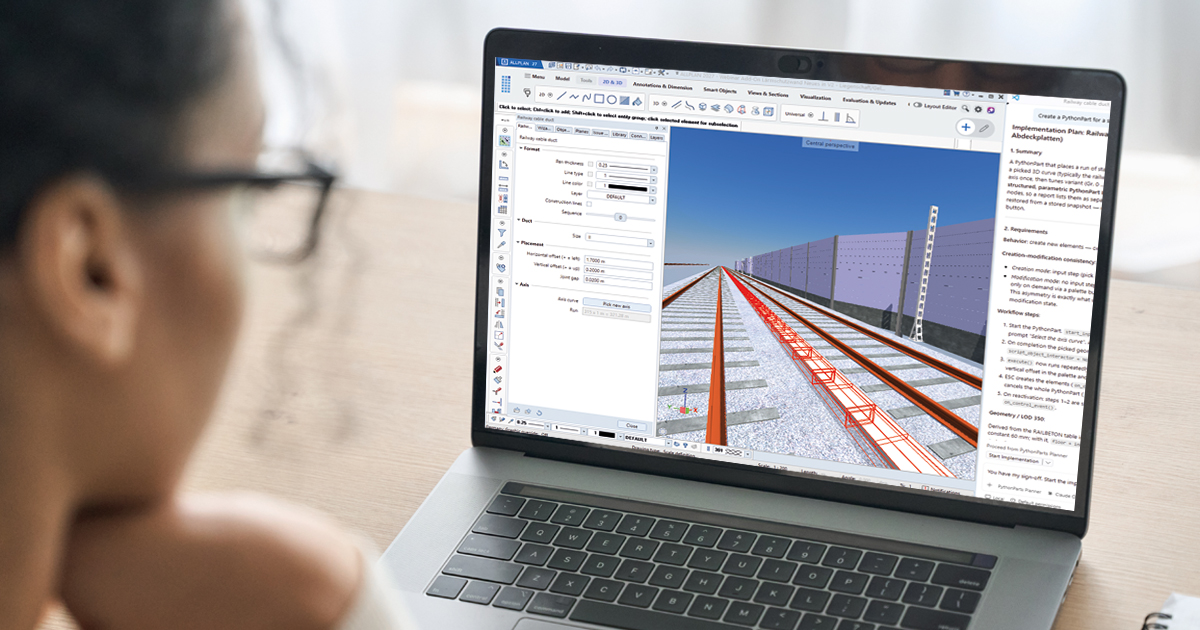
For teams that want AI to move from announcement text into daily engineering practice, Allplan Max 2027 is a useful example. The Nemetschek Group and Allplan present it as an AI offering created for engineering workflows and positioned within the Nemetschek Intelligence Platform. Its value is not a separate AI destination for engineers; it appears inside the tasks they already perform: modeling, analysis, detailing and fabrication.
From an application point of view, the release answers a practical question: where can AI reduce repetitive work without changing responsibility? Allplan states that Allplan Max supports engineering judgment rather than replace it. Design intent, review, approval and final outcomes remain with engineers.
Where the AI application touches the workflow
The stated aims are concrete: help firms cut repetitive work, retrieve project information more quickly, automate routine processes, build custom workflows, and reserve more time for engineering judgment, problem-solving and design. The targets include searching for information, checking models, preparing reports, creating formulas, cleaning drawings and repeating common tasks.
| Application area | Where it appears | Useful AI capability |
|---|---|---|
| BIM, detailing and workflow customization | Within Allplan | Feature Builder, Workflow Builder, AI Formula Writer, AI BIM Analyst and AI Drafter |
| Structural analysis and engineering decision support | SCIA and FRILO | AI Structural Analyst and AI Coach |
| Fabrication-oriented workflows | SDS2 | BIM analysis and drawing automation |
The capability set also includes AI Visualizer and AI Steel Take Off. Their purpose, as described for the portfolio, is to help engineers customize software, automate workflows, work with model data, speed up reporting, improve drawing production and access guidance in context. In that sense, Allplan Max acts as a common intelligence layer across a connected model, analyze and fabricate workflow.
A step-by-step way to use it in a real workflow
- Start with one routine task rather than a broad transformation: information search, model check, report preparation, formula creation, drawing cleanup or a repeated task.
- Map the task to the product area where the workflow already runs: Allplan for BIM, detailing and customization; SCIA or FRILO for structural analysis; SDS2 for fabrication-oriented work.
- Match the task to the relevant tools: Feature Builder or Workflow Builder for customization and automation; AI Formula Writer for formula creation; AI BIM Analyst or AI Structural Analyst for analysis and decision support; AI Drafter for drawing production; AI Coach for guidance in context; AI Visualizer and AI Steel Take Off for the broader capability set.
- Keep a human review gate at each stage where design intent, review, approval or final outcomes are involved.
- Measure adoption with role-specific outcomes, because reported speed gains vary by role, project complexity, data quality and adoption.
Checklist before deciding whether this is an AI application fit
- Does the team already use Allplan, SCIA, FRILO or SDS2 in a workflow that can connect to a model, analyze and fabricate process?
- Is the target task repetitive enough to justify a customization or automation feature?
- Can engineers define clear review and approval responsibility around the AI output?
- Is project data quality sufficient for the AI features being tested?
- Is availability aligned with the selected product, package and region?
Common misconceptions to avoid
- It is not an AI that takes ownership of engineering outcomes. The stated position is support for engineering judgment, with engineers retaining responsibility.
- It is not a single universal button. AI is applied across different products for different stages: Allplan, SCIA, FRILO and SDS2.
- It is not a guaranteed productivity number. Users reported up to 36 percent faster completion for selected tasks, but these are self-reported estimates and may vary.
- It is not automatically available to every buyer. Availability can differ by product, package and region.
Adoption timing and what to watch
Allplan Max launches alongside Allplan 2027. The 2027 release also includes updates in reinforcement detailing, BIM information workflows and AI-powered customization. The 2026 launch date scheduled for Allplan Max 2027 is October 28, 2026, so teams evaluating the application layer should watch product-level and region-level availability rather than treating the date as a uniform switch-on event.
Action suggestions
- Pilot on one low-risk, high-repetition task, then review whether it shortens completion without adding rework.
- Use the portfolio logic: choose AI Formula Writer, AI BIM Analyst and AI Drafter inside Allplan workflows; choose AI Structural Analyst and AI Coach where SCIA or FRILO supports structural analysis; choose SDS2 where fabrication-oriented BIM analysis and drawing automation matter.
- Record the conditions behind the 36 percent figure before applying it to your own team: role, project complexity, data quality and adoption.
- Confirm that Feature Builder and Workflow Builder are being used to build workflows that engineers can maintain, with AI Coach used as contextual guidance rather than final approval.