
Colorfigures at Work: Turning One Plain Prompt Into an Interactive Isometric Machine
Most AI demos end at a screenshot. This one ends at something you can drag half-way round, prise open and press. On the AIApplications desk at AIdataNewsGlobal we judge a new capability by one question: what does it change about the way work gets done on an ordinary Tuesday? Colorfigures — a skill that reads a plain sentence about an everyday object and answers with a hand-inked isometric machine whose buttons genuinely do something — changes three practical things: how a mechanism is explained to a colleague, how a product idea is shown instead of described, and how little code stands between the two.
What a single sentence produces
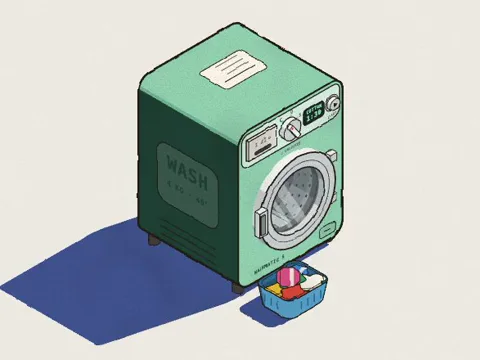
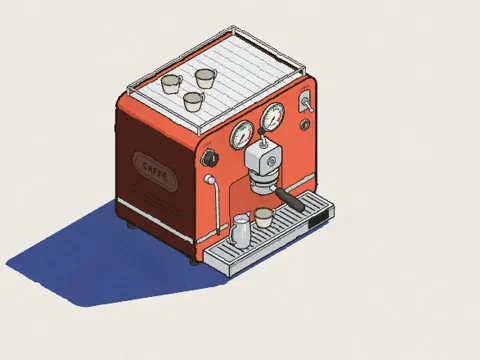
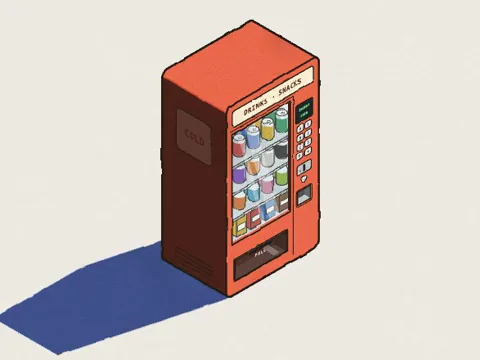
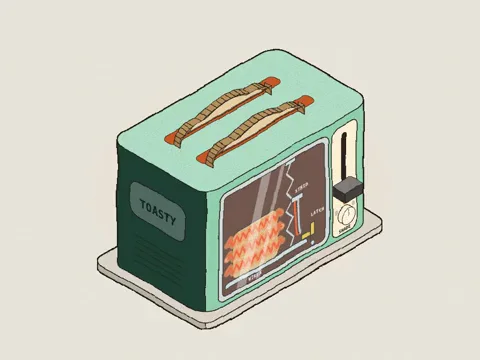
The task the skill is built around is deliberately small. You describe an everyday object in ordinary words; the AI draws it isometric and hand-inked, with working buttons. The finished figure rotates a full circle under the drag of a pointer, and a See-through switch strips off the shell so the internal mechanism is visible while it runs. Labels name each part and light up as the machine works. The published demo carries 26 objects that anyone can try, from a gumball machine to a record player.
Every example in that set came out of a fresh install, built directly from the sentence printed above it. No code was written by hand.
- Gumball machine, prompted as "You a gumball machine where I can put in a coin and turn the crank".
- Electric kettle, prompted as "You an electric kettle that boils, then clicks itself off when done".
- Record player, prompted as "You a record player: put on a record, drop the needle and it plays".
The demo shelf: eight of the 26 figures
Hover to watch one of them move. Open any of them and press things.
- Washing machine:
- Espresso machine:
- Vending machine:
- Toaster:
- Traffic light:
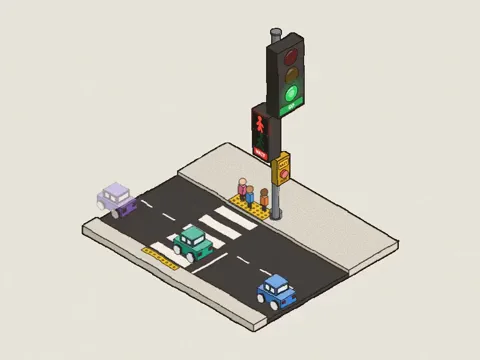
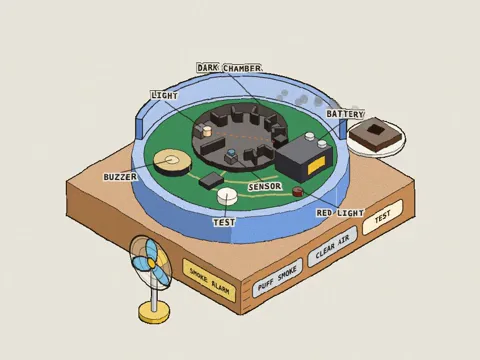
- Smoke alarm:
- Capsule toy machine:

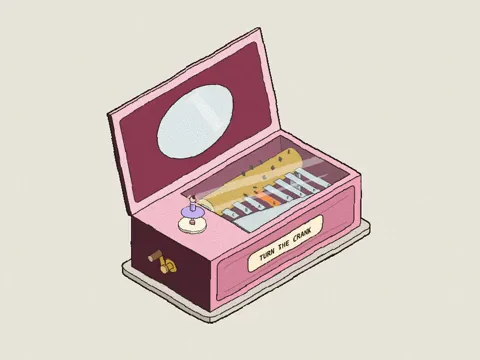
- Music box:
Installation as a workflow: Three steps and about a minute
The project page is april-zhu.com, and the source can also be reviewed on GitHub by anyone who prefers to read before installing. Whatever assistant you run, the published guide is organised as Three steps and about a minute.
- Choose the host. Decide whether the skill will live with Claude, with ChatGPT, or with Gemini — each has its own delivery path.
- Place the files. Copy or upload the package along the path your host expects; nothing is executed during this step.
- Call the skill by name. Restart the assistant, then ask for something in its scope so the instructions are actually picked up.
Claude
Three routes are listed: Claude Code, Claude.ai, and a manual package. That manual package covers Windows, macOS and Linux, and on a Mac the guide points you to Terminal.
ChatGPT and Codex
ChatGPT is served by an upload path, whereas Codex and Codex CLI use a comparable folder path.
Gemini
Gemini app and Gemini CLI either take a Gemini version of the package or a folder path.
Prompts worth running first
- "how does a toaster know when to pop? make it a Colorfigure"
- "a bike pump filling a tyre, with a see-through valve"
- "a parcel locker wall: type a code and the right door pops open"
What a figure costs in minutes and tokens
Plan on 15 to 30 minutes and roughly 200,000 to 400,000 tokens per figure in Claude Code. Most of that effort goes into modelling the object from every side and assembling its See-through from how the real machine works; the AI then reviews the result from several angles, checks the cutaway and a phone view, and repairs what it finds. In a fresh test run, a parking meter whose cutaway carries 20 labelled parts took around 15 minutes and 230,000 tokens. A dense machine, or a scene with several objects, runs longer. Follow-up changes requested in the same chat are much quicker.
The billing detail matters if this becomes recurring production work: on a Claude plan the run counts toward usage, and on the API it is billed per token.
Common misconceptions
| What people assume | What is actually true |
|---|---|
| A skill is an app that runs by itself in the background. | It is a small folder of instructions and templates that teaches an AI to do one job well. It does nothing on its own; the AI reads it when your request falls inside what it covers. |
| You have to code to get a working object. | No. Describe the object in plain words. Later edits are also plain words, said in the same chat: "make the door open further", "add a coin return". |
| Anything draws equally well. | The style suits everyday hardware with parts you can press — appliances, vending and arcade machines, toys, signs, kiosks. Every figure turns all the way round, and machines get a See-through switch that shows the real working parts inside, labelled and moving with the buttons. Soft, organic subjects such as people, animals and plants do not suit it. |
| Installing means running third-party code. | The package is eight small plain-text files of about 220 KB: the instructions, the drawing engine, three example figures, a build script, a readme and a licence. Installing only copies them — nothing runs, and there are no packages or dependencies. SKILL.md can be inspected in any text editor first. |
| The generated page will call home. | Each figure the AI makes is a single HTML file that runs in your browser like any web page, with no tracking, no accounts and no outside requests. |
| One look is all you get. | Every figure ships body-colour swatches (tomato, mustard, mint, cobalt, blush) and a hand-drawn wobble slider, and you can also ask the AI for a particular colour. |
| Client work is out of bounds. | The skill is MIT licensed, and the figures you make with it are yours to use, including in paid and client deliverables. |
When the assistant ignores the skill
Two moves, in order. Restart the app, then name the skill inside the request: "use the colorfigures skill to draw a gumball machine". If it still does not engage, open the installed folder and confirm the landmarks are all there: SKILL.md, README.md, LICENSE, assets and scripts.
Action suggestions for your first week
- Pick one object your team currently explains badly in words — a machine, a kiosk, a locker wall — and let that be the pilot.
- Read SKILL.md in a text editor before installing, so the instructions are reviewed rather than trusted.
- Install along the path your host uses, then run one figure end to end so the 15 to 30 minutes and 200,000 to 400,000 tokens are measured on your own setup instead of estimated.
- Open the result on a phone: the cutaway and labels are what carry the explanation, and they are the first things to break on a small screen.
- Stay in the same chat for the two or three edits you already know you want, because follow-up changes are far cheaper than a fresh run.
- Log time and token cost per figure if you expect to produce a set, and keep the single HTML file each figure is with your version control.
The useful part is not the drawing
The inked isometric look is the hook; the working model underneath it is the value. A description that used to need a diagram, an animation or a conversation becomes one sentence, one wait and one file that opens anywhere. That is an easy change to justify in a team that already writes things down and still struggles to show them.
Two constraints decide whether it belongs in your workflow. First, subject matter: pressing parts, moving levers and labelled internals are where the output pays off, while people, animals and plants fall flat. Second, budget: a figure is measured in tens of minutes and hundreds of thousands of tokens, so one exploratory object is cheap and a library of them is a real line item. Start with the object that keeps getting misexplained, keep the chat open for the edits, and let the MIT licence settle the ownership question before it is raised.