
AIApplications Review: Where Customer Automation Saves Time — and Where It Costs Trust
When an AI agent handles customer workflows without human checkpoints, efficiency can become friction. Teams should automate low-risk, well-scoped tasks, then require immediate escalation for billing disputes, trust-sensitive complaints, cross-system records, and any request where a human is the explicit path. That is the decision rule tested by this AIApplications review.
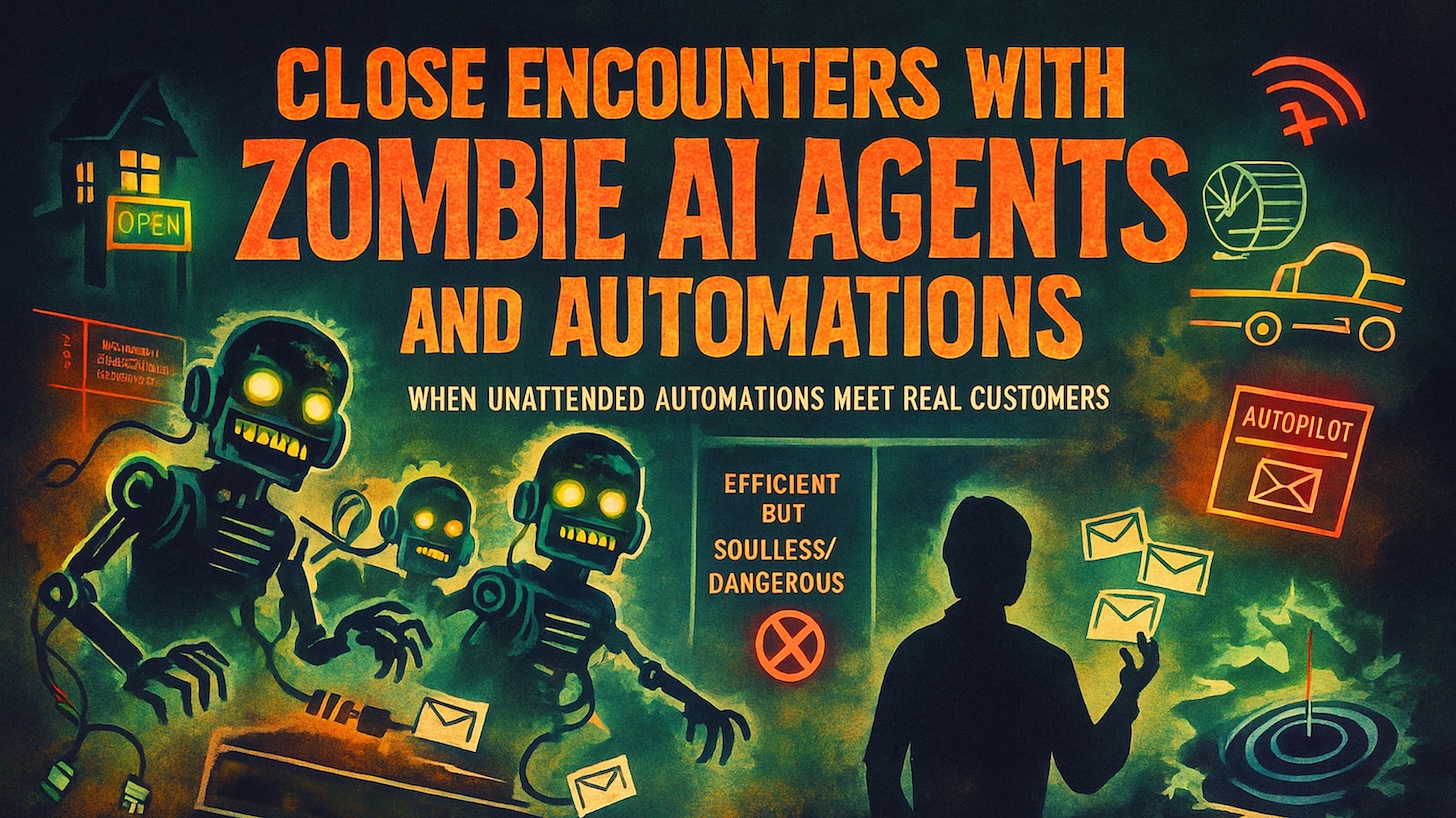
AI automation often fails in customer paths for the same reason a router can look healthy while its uplink is dead. The Wi-Fi’s on, but there’s no Internet. In practice, a polished agent, a cheerful auto-reply or a hyper-personal sales note can hide missing routing, stale account data, absent ownership or an escalation button that is technically present but effectively unreachable.
How do you read the customer-efficiency matrix for AI automation?
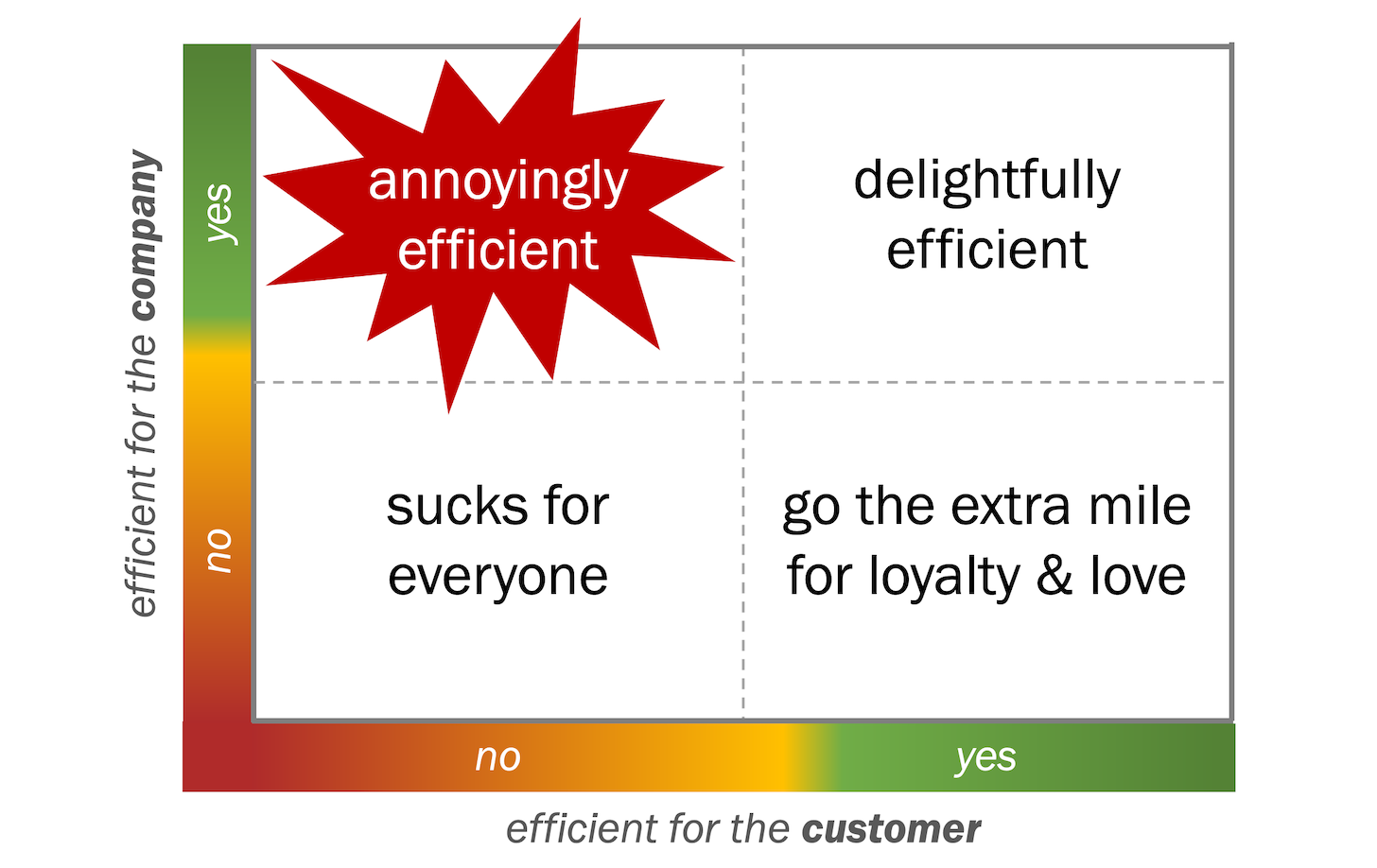
Over the past weeks, I reviewed two martech customer-touch cases that both land in the annoyingly efficient upper-left quadrant of the 2×2 below: fast, cheap and internally tidy, yet frustrating for the person on the other side. The first case is a support path that goes nowhere; the second is a sales follow-up path that forgets what just happened.
Case A: support routing that becomes silence
A subscription product had sent helpful onboarding tips for weeks from a shared address. Then last week, a billing question required a human answer. The obvious path pointed to the same inbox, but no acknowledgement arrived. I waited a day, then wrote again. No reply came. A couple of days later, the onboarding address sent another cheerful onboarding tip, as if the unanswered request had never existed.
This is a classic dependency split: multiple teams share an inbox, rules route messages, an LLM may interpret intent, and account context may be looked up. If any piece is unattended or failing, the customer sees silence, while the company sees no ticket because the message never reached the queue. The remedy is not a cleverer prompt. It is a routing contract: automatic receipt, owner-by-time, escalation-by-exception, and one obvious human path. Never aim for 100% deflection; edge cases are infinite.
Case B: personalization that loses state
In the second example, I downloaded a report. Within a couple of minutes, I received a personalized email from a named rep. It referenced chiefmartec, raised a relevant AI concern and asked what had drawn my interest. It was production-quality generative-AI personalization, and I admired the speed. I replied, complimented the response time, and explained that I was probably not a real prospect.
The reply did not answer. Then, a couple hours later, a different template arrived: a familiar demo pitch about something unrelated. A week later, another message used a $COMPANY-NAME variable filled with the wrong company. The thread had broken because the downstream sequence had no memory of the conversation with the AI agent.
The lesson is not that AI cannot personalize. It can. The problem is that state, consent, data quality and ownership are easier to forget than a prompt template. If an AI SDR, a sequence platform and a data enrichment service are stitched together but not governed together, the customer experiences whiplash.
Which customer tasks should be automated first?
Use a comparison rule, not a technology preference. The table below is the decision frame I would give a product, support or revenue-operations team starting from the two cases above.
| Task | Good fit for AI automation | Risk if left unattended | Required control |
|---|---|---|---|
| Order status, password reset, policy lookup | High-volume, narrow, verifiable answers | Low if data is current | Log answer source and offer self-service link |
| Billing dispute or refund request | Can draft and classify only | Escalation delay can damage trust | Human owner within one business day |
| First AI SDR reply after content download | Fast context summary can be useful | Over-personalization can feel surveillance-like | Rep review before second contact |
| Multi-step nurture sequence | Should be paused after any reply | Thread amnesia causes non sequiturs | Shared conversation memory across tools |
| Complaint about AI not listening | Use sentiment detection only | Repeat blocks increase churn | One-tap human escalation after first clear request |
What external evidence says about AI customer experience
Morning Consult’s survey for the 2026 Yale CEO Summit, summarized by Fortune China on 30 October 2026, reported that 82% of American adults said it is increasingly difficult to reach a real person in customer service. It also found that 44% would lower their willingness to deal with a company that uses AI in customer service, 51% believed AI solves issues more slowly or not at all, and only 26% said AI was more efficient. Those figures do not prove customers hate AI. They prove that a poor handoff has become visible.
Enterprise software faces a related adoption test. A Banyan Software report covered by CIO says that among vendors adding AI to existing products, 51% found fewer than one in four customers used the feature. The report attributes the deployment gap to poor planning and measurement, not to an appetite for novelty. Lifted Holdings co-founder Daniel Wilson Kemp told CIO that people do not wake up wanting to use AI; they want faster checkout, replies, exception handling and work that closes.
Checklist: is your AI workflow ready for production traffic?
- Does a customer get a receipt? Every inbound support email should receive an acknowledgement with a queue name, expected response window and escalation route.
- Is there a human path after a failed attempt? If the customer repeats the same intent once, the next step should not be another AI block.
- Do systems share memory? AI SDR, CRM, help desk and data enrichment should share conversation state or pause the sequence.
- Is personalization explainable? The company should know which fields were used, why and whether the customer would accept them.
- Are metrics dual-sided? Track AI deflection, but also transfer success, steps to reach human, post-transfer satisfaction and complaint reason.
How should teams pace AI adoption without losing customer trust?
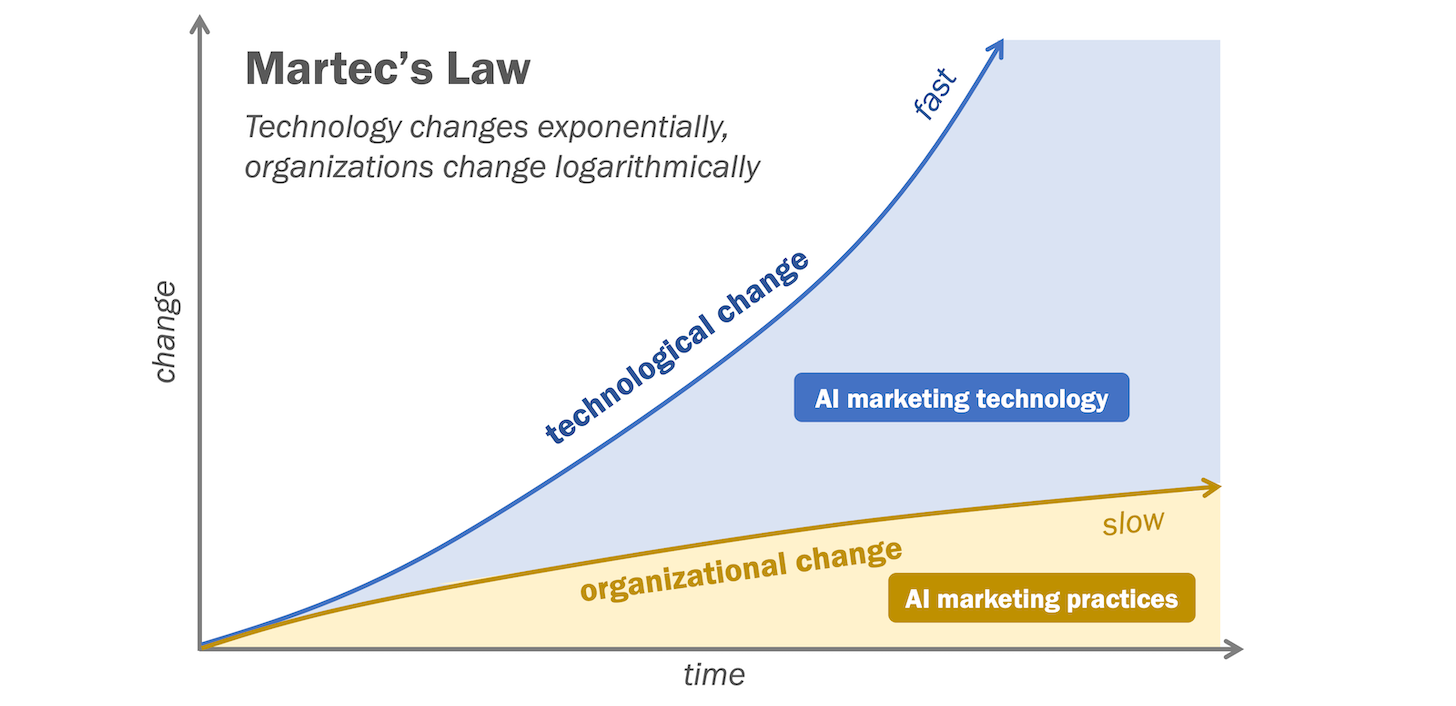
For 17 years, practitioners have seen a version of Martec’s Law: technology changes quickly, organizations change slowly. The same applies to customer AI. A demo can ship in days; the rules, permissions, data contracts and escalation habits can take months. The right stance is not to delay learning, but to slow irreversible exposure to customers.
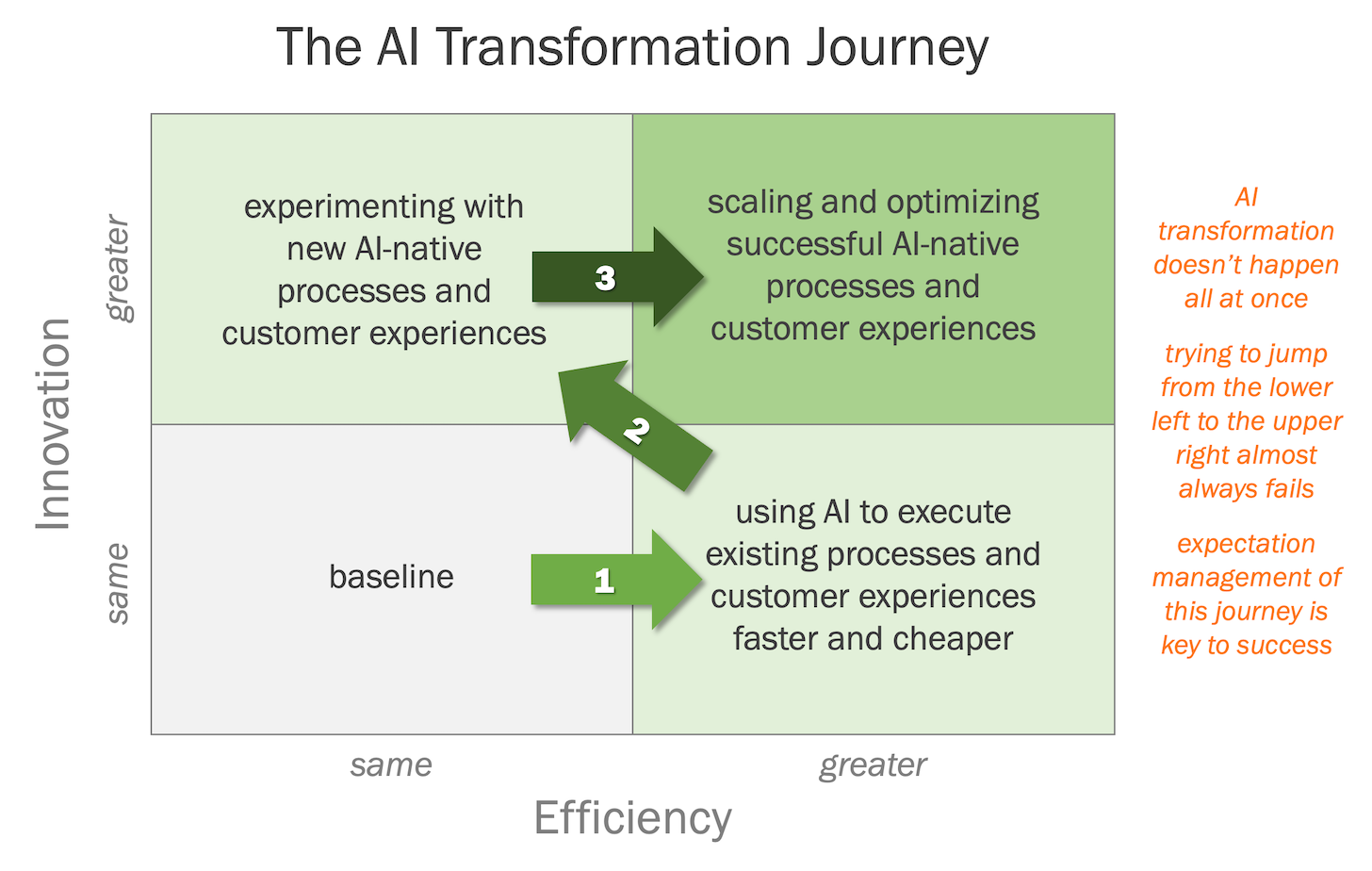
Frans Riemersma’s useful distinction separates the laboratory from the production system. The experiment zone is the laboratory; the production system is the factory. Keep AI experiments in narrow accounts, with post-hoc review and rollback. If lab code leaks into live traffic, the result is not innovation risk; it is reputational error. Good orchestration is the discipline that prevents the leak.
Common mistakes that turn AI efficiency into customer annoyance
1. Measuring only AI resolution rate
When automation rate is the headline metric, teams may hide the human path because every transferred case looks like failure. A better dashboard should treat successful handoff as a resolution, especially for billing, complaints, legal, payment-security or emotionally sensitive issues.
2. Repeating the same blocked request
If a customer asks for a person and the system says, “let the AI try first,” the interaction is no longer self-service. It is retention friction. Once the intent is clear, add one simple step: connect, schedule, or pass context to a queue.
3. Letting enrichment write over conversation history
Wrong company names, stale job titles or mismatched account data can come from enrichment services. The customer sees a careless brand. The internal team sees a pipeline record that passed validation. Fix this by making conversation state authoritative and enrichment advisory.
4. Skipping secret-shopper tests
Internal users know where the buttons are. New customers do not. A recurring test should start from a clean email, download content, ask a billing question, reply to a personalized note and try to reach a person. Record the number of steps, time and message quality.
Action plan: a 7-step operating sequence for safe AI rollout
- Map one journey, not all AI features. Start with a high-friction path such as billing questions, trial cancellations, refund status or post-demo follow-up.
- Classify each step as assisted or automatic. AI may summarize, draft and classify; it should not finalize refunds, cancellations, contract terms or emotionally sensitive complaints without a person.
- Define the escalation trigger. A clear request for a human, two failed intents, mention of payment dispute, legal language or security concern should route immediately.
- Instrument the handoff. Log steps to human, time to human, repeat contacts, transfer satisfaction, and whether context was passed.
- Run external secret shoppers weekly. Use non-employee testers to navigate support and sales sequences, then compare logs to the intended design.
- Review every active agent monthly. Inspect rules, data definitions, brand tone, template variables and integration status; timestamp and sign each review.
- Move only stable patterns into the factory. Keep experiments in the laboratory until they pass at least one full customer journey with human review.
FAQ: AI customer automation, handoffs and adoption metrics
Does customer AI become cheaper if it deflects tickets?
Only if deflecting does not move cost elsewhere. A billing case that stays silent can become a churn conversation, a social complaint or a refund dispute. The Morning Consult figures reported by Fortune China suggest customers react to blocked human access with reduced willingness to deal with the company, so the deflection saving must be compared with retention risk.
Should companies label AI responses explicitly?
Yes. Explicit labeling is less useful than honest routing: make clear when no one is watching, when the next message is automated, and how to reach a human. If a system is too uncertain to answer, say so and offer a queue. That is better than a polished apology.
What is the first metric to add to a support dashboard?
Use time and steps to reach a human after the customer asks. It is the operational counterweight to automation rate. If this number rises while AI resolution improves, the organization may be measuring employee efficiency rather than customer outcomes.
Can AI sales follow-up be personalized without being creepy?
It can if personalization is relevant, explainable, and tied to a job the customer is already trying to do. Fast AI replies are fine. Wrong company variables, unrelated demos and repeated outreach after a clear no are workflow failures.
Conclusion: build AI workflows that customers can trust, not only teams can report
The safest AIApplications pattern is not maximum automation. It is selective automation with visible human accountability. When the system can answer a simple question, let it answer. When the system cannot prove the answer, route it. When it sends in a person’s name, let that person see the thread. In a customer journey, unattended AI is not a cost-saving trick; it is a promise about what happens when something goes wrong.
References
- Fortune China summary of Morning Consult survey for 2026 Yale CEO Summit.
- CIO coverage of Banyan Software AI deployment-gap report.
- Customer Experience Dive on customers preferring human support despite AI use.
- soon.works on tracking escalations, time to accepted ownership and post-transfer satisfaction.